
Meet the Widgets: The Attendee Recorder

The Meetn® Attendee Recorder Widget
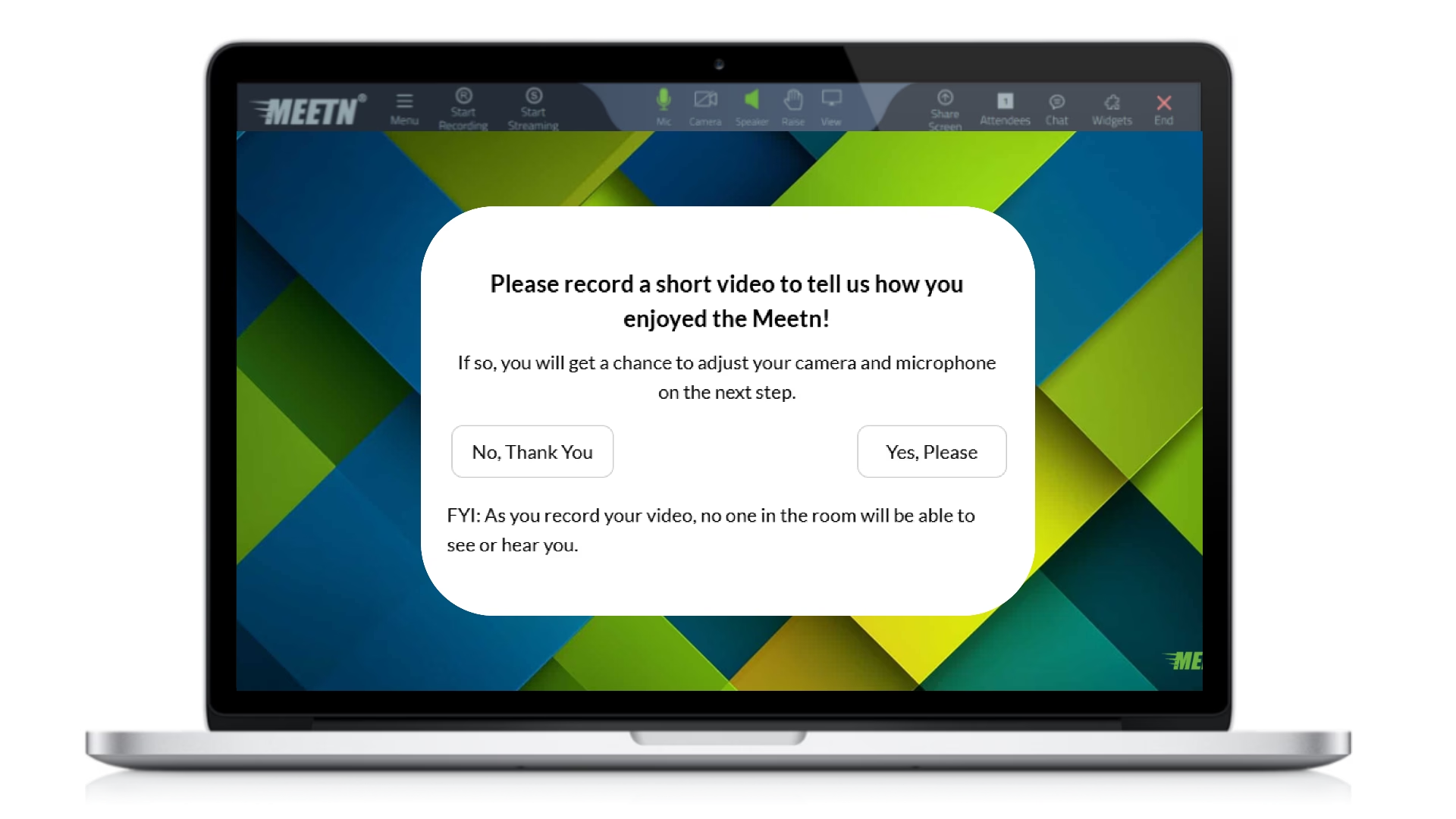
The Attendee Recorder Widget lets hosts capture attendee video responses in real time, right inside the meeting. With just a simple prompt or question, attendees can record reviews, feedback, questions, or testimonials without ever leaving the Meetn® room.
Attendee recordings are stored securely and can be downloaded later for internal review, training insights, or repurposed into powerful video marketing content for your website and social media channels
Widgets let you build custom banners, buttons, and popups in Meetn®. Use them to promote your products, collect feedback, or capture valuable attendee insights with one click. Meetn® widgets help organizations turn live meetings into actionable data and authentic marketing assets.
The Attendee Recorder Widget makes it easy to collect real voices, real reactions, and real results instantly.
Setting Up the Widget
In your Meetn® room, click the WIDGETS icon in the top right hand corner and select a folder. Then select the top link to ADD WIDGETS.
Select ATTENDEE RECORDER from the drop-down menu and then complete setup choosing from the available options:
- Name your Attendee Recorder for easy reference in presentations
- Add custom text and disclaimers to inform your audience of the recording’s purpose
- Enter a custom data field to capture additional attendee details
- Select colors for the default “Recording” alert that will appear when attendees record their messages
How to Use it in Meetings
Training and Coaching: Use the Attendee Recorder to gather immediate feedback after training sessions. Ask attendees what they learned, what was unclear, or how confident they feel applying the material. These recordings help trainers refine content and measure effectiveness.
Sales: Capture authentic, in-the-moment reactions during demos. Ask attendees what stood out, what problem the product solves for them, or how they’d describe it to a colleague. These clips make incredible testimonials and social proof.
Marketing and Events: Turn live events into a content engine. Prompt attendees to share their biggest takeaway, favorite feature, or event highlight. Repurpose recordings into website testimonials, social media reels, or event recap videos.
Education: Encourage participation by inviting students or attendees to respond on camera instead of typing in chat. Video responses create deeper engagement and help hosts understand attendee sentiment in real time.
Have Questions?
Follow the practices above to improve client engagement and watch satisfaction rates soar! And be sure to check out our other articles for more advice on specific industries and use cases.