
Meet the Widgets: Adding YouTube Videos to Your Events
The Meetn® YouTube Player Widget
The YouTube Video Widget makes it easy to share high-quality video content directly inside your Meetn® room, no screen sharing required. Not every host has a library of MP4 files ready to go, so this widget lets you tap into YouTube’s enormous collection of training, educational, and promotional videos with…
Bring videos straight into your meeting and keep attendees focused, engaged, and distraction-free—all without asking them to leave the room or open a new tab.
The YouTube Video Widget allows hosts to embed and play YouTube videos directly within a live Meetn® meeting. Use it to share training or promotional videos, or to add variety to long presentations.
Videos play smoothly inside the meeting, creating a more seamless experience for both hosts and attendees.
Setting Up the Widget
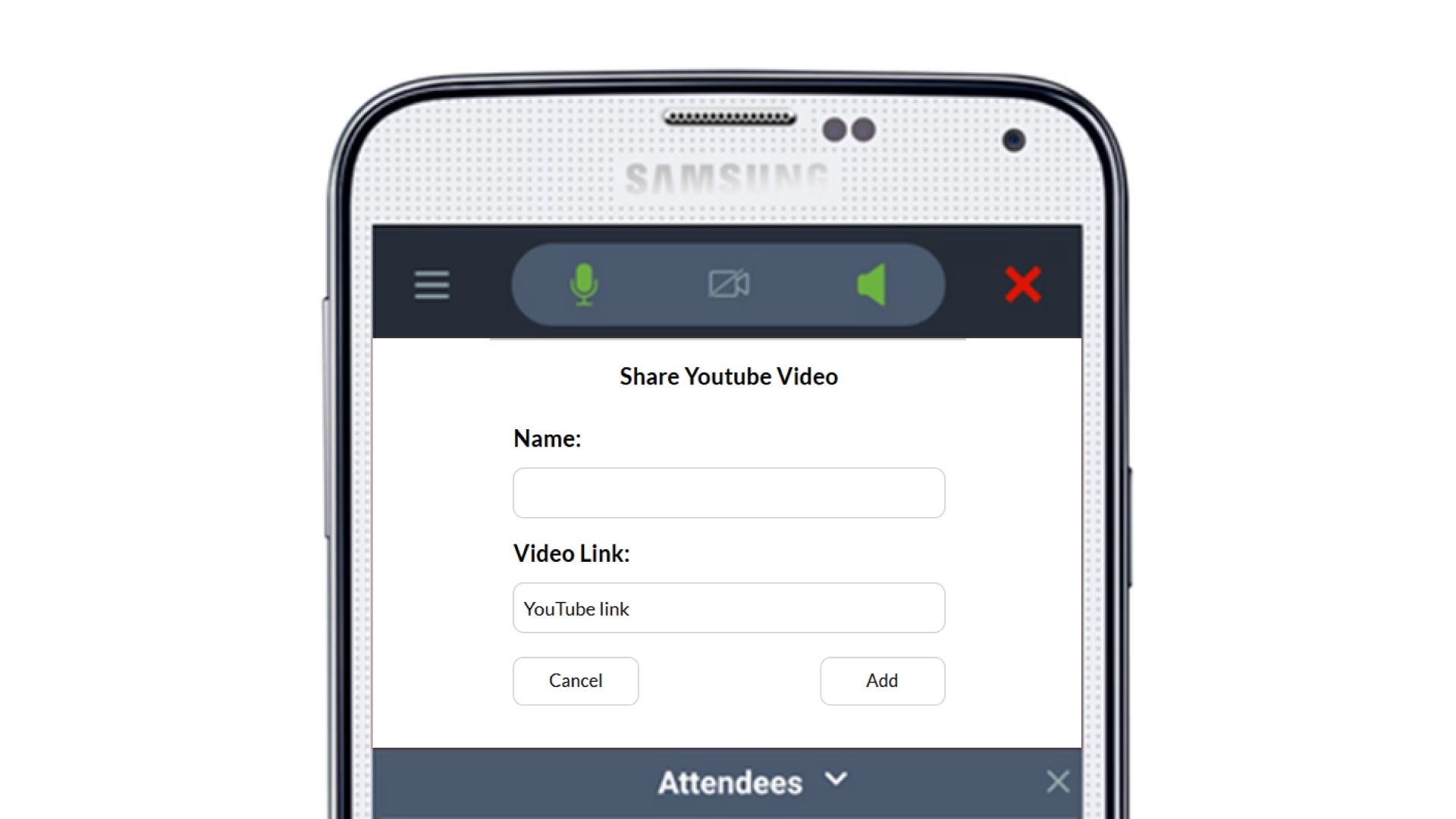
In your Meetn® room, click the WIDGETS icon in the top right hand corner and select a folder. Then select the top link to ADD WIDGETS.
Select YOUTUBE VIDEO from the drop-down menu and then complete setup choosing from the available options:
- Name your YouTube video for easy reference in presentations,
- Share your URL (must include http:// or https://) and click SAVE.
How to Use it in Meetings
Onboarding: Supplement live instruction with professionally produced training videos. Use the YouTube Video Widget to reinforce concepts, demonstrate workflows, or provide step-by-step tutorials without breaking the flow of your session.
Sales: Play product overviews, customer testimonials, or brand videos at exactly the right moment in your presentation. Videos help tell your story visually and emotionally, making your message more memorable.
Events: Add energy and variety to meetings by incorporating video breaks, highlight reels, or keynote clips. Videos help reset attention and keep audiences engaged throughout longer sessions.
Education: Bring educational content into your classroom or workshop without asking students to navigate away from the meeting. The YouTube Video Widget keeps learners focused while giving them rich, visual context.
Have Questions?
Follow the practices above to improve client engagement and watch satisfaction rates soar! And be sure to check out our other articles for more advice on specific industries and use cases.